Change a member's status
Suspend a member, block their bookings, ban or disable them, and give access back.
A member's status decides whether they can come to the club and book. This page shows how to change it from the Member status card of the profile, how to plan a change for later and how to give access back. A status can also change on its own after no-shows, when your club set no-show sanctions. To open a profile, see Work on a member's profile.
| Status | What the member can do |
|---|---|
| Active | Everything: normal access. |
| Suspended | Nothing during the chosen period. Access comes back after the end date. |
| Bookings blocked | Come to the club, without making reservations during the chosen period. |
| Banned | Nothing, until your team lifts the ban. |
| Disabled | Nothing, until your team re-enables the account. |
1. Change the status of an active member
- In the Member status card, select Change status.
- Choose Suspend, Block bookings, Disable or Ban.
- Fill in the window:
- Suspend and Block bookings ask for a start date and an end date. The start date is today or later. You may add a Reason (optional).
- Ban needs a Reason. The ban starts immediately.
- Disable only asks you to confirm.
- Select the button at the bottom of the window, for example Suspend member.
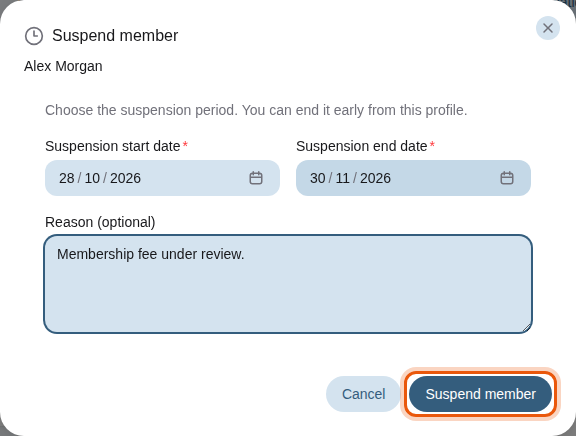
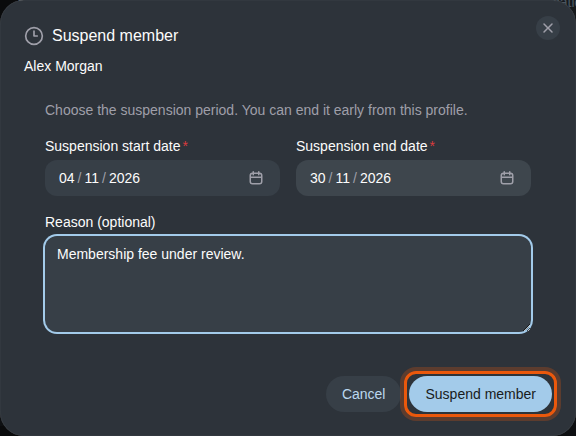
Suspending the example member Alex Morgan until the end of November. The control to use is outlined in orange.
2. Plan a suspension or a booking block
When the start date is in the future, the card says Suspension scheduled from or Booking block scheduled from with the dates. The member keeps normal access until then. Select Cancel scheduled suspension or Cancel scheduled booking block to call it off.
3. Give access back
While a status is in force, the card shows its dates or its reason, and one button to end it at once:
| Status | Button |
|---|---|
| Suspended | End suspension early |
| Bookings blocked | End booking block early |
| Banned | Lift ban |
| Disabled | Re-enable member |
Selecting the button makes the member Active again straight away, without a confirmation window.
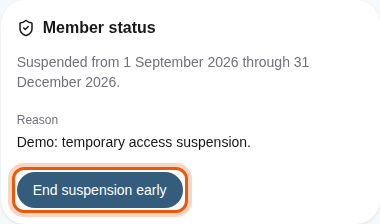
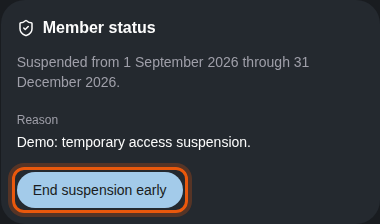
The status of the example member Camille Roussel, suspended until the end of the year.
Every status change is kept in the Status history of the profile. See Read the history and signed documents.