# Propose a time for a request
Answer a member's request for a private lesson by proposing a time.
Source: https://docs.champagne.dev-ukab.fr/en/guide/staff/reservation-requests
In some categories, such as private lessons, members send a request and the club suggests
the time. This page shows how to find these requests, propose a time and change or withdraw
your proposal.
## 1. Find the requests [#1-find-the-requests]
The requests appear above the calendar of their category in **Reservations**, under **Requests
awaiting a time**. Select **Open** to read one. Coaches also find them in **My reservations** and in
**Club calendar**. See [Your reservations and availability](/en/guide/staff/schedule-and-availability).
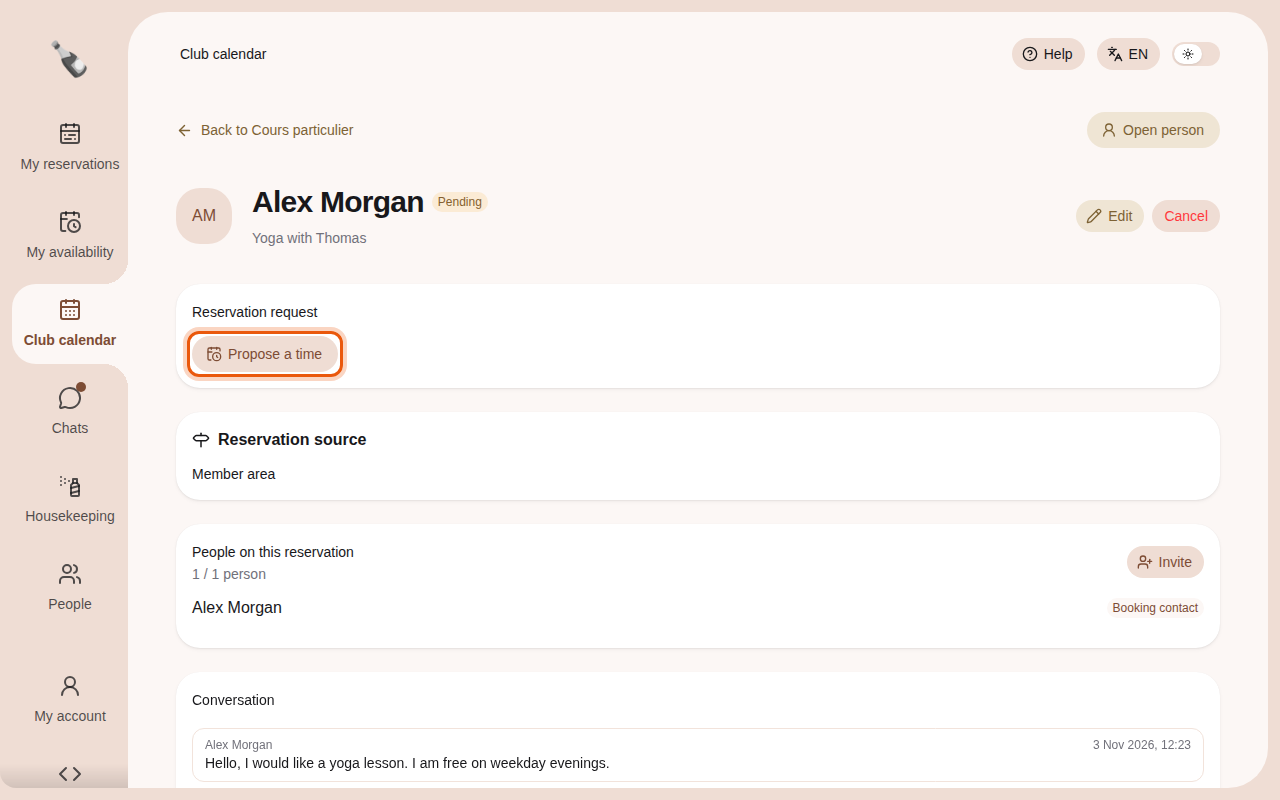
A request shows **Pending** and a **Reservation request** card on its page. Members can write
to you in the **Conversation** below. See [Answer messages](/en/guide/staff/chats).
The example request Yoga with Thomas, seen by the coach account Sport coach. The control to use
is outlined in orange.
## 2. Propose a time [#2-propose-a-time]
1. Select **Propose a time**.
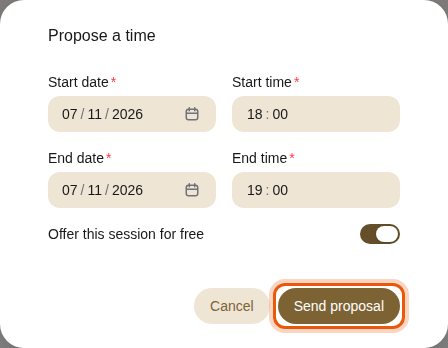
2. Enter the **Start date**, **Start time**, **End date** and **End time**. When you change
the start, the end moves with it to keep the same length.
3. Turn on **Offer this session for free** to waive the price. The option appears when the
session has a price.
4. Select **Send proposal**. The member sees the proposed time on their reservation and
can accept it.
Proposing a free one-hour yoga session at 18:00.
## 3. Change or withdraw a proposal [#3-change-or-withdraw-a-proposal]
Once sent, the card shows the proposed time and the **Total**, marked **Free session**
when you waived the price. **Confirmed on acceptance.** means the booking is confirmed as
soon as the member accepts. **Payment due after acceptance.** means the member pays after
accepting.
The proposal sent for the example request Tennis with Julien.
* **Change proposal** sends a new time in place of the previous one.
* **Withdraw proposal** appears when you propose a new time for a booking that already has
one. It takes the proposal back, and the booking keeps its current time.
While a request waits for a time, **Cancel** is the only status button. In these
categories, **Edit** is only available while the request is **Pending**.