# Complete and sign your application
Fill in your application, sign it and send it to the club.
Source: https://docs.champagne.dev-ukab.fr/en/guide/members/sign-your-application
Your [application](/en/guide#application) is a form in several steps, set up by the club. You answer one step at a
time, review your answers and send them. The club then accepts or rejects your
application. Once accepted, you may still have a few steps to finish, such as paying your
[plan](/en/guide#plan).
To start an application, see [Find a club and apply](/en/guide/members/find-a-club-and-apply).
## 1. Fill in each step [#1-fill-in-each-step]
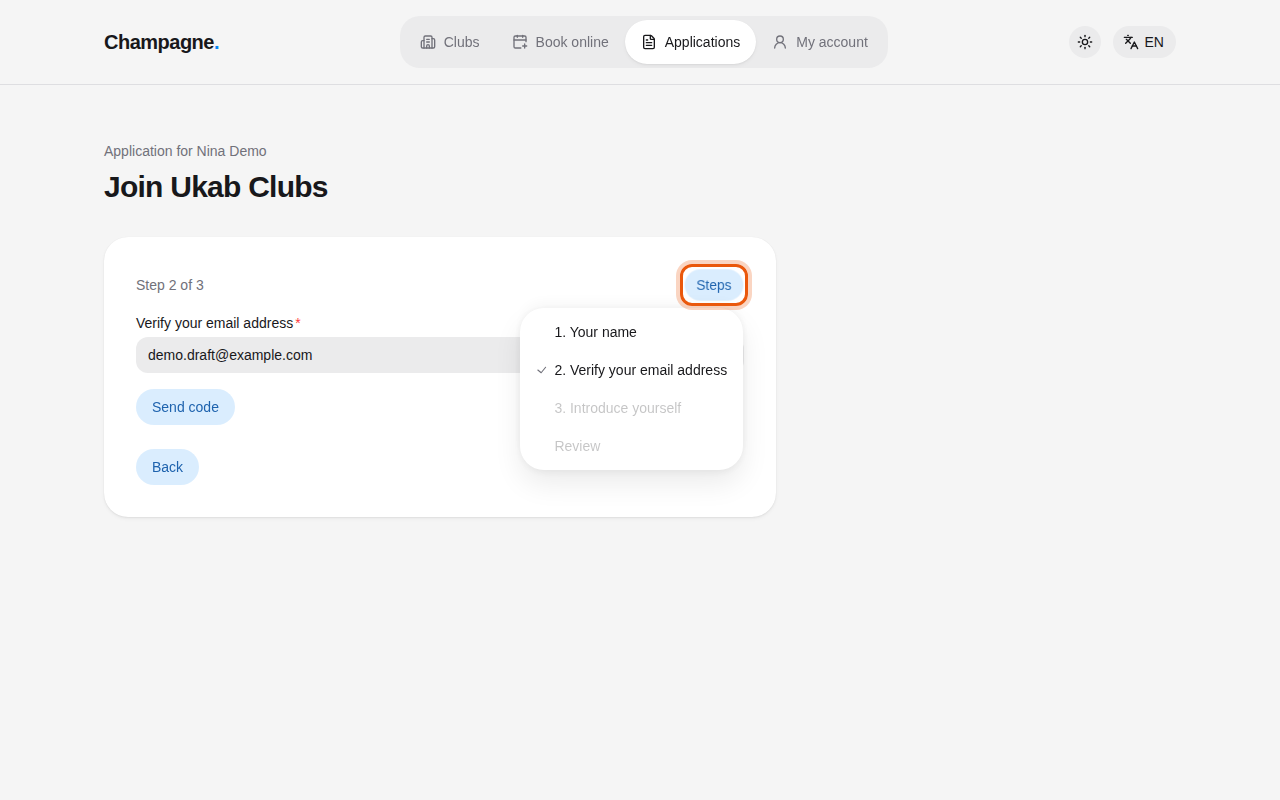
The top of the form shows where you are, for example **Step 2 of 3**. Answer the step,
then select **Continue**. Your answer is saved and the next step opens. Select **Back** to
return to the previous step.
To jump to a step you already answered, select **Steps** and pick it in the list. Steps you
have not reached yet are greyed out.
The application of the example applicant Nina Demo, with the Steps menu open. The control to use
is outlined in orange.
Some steps need a little more:
* **Verify your email address**: type your email and select **Send code**. Type the code
you receive in **Six-digit verification code**, then select **Continue**. **Resend code**
sends a new one after a short wait, and **Change email** lets you fix the address. If you
already have an account or an application with this address, a message offers a button to
go there, such as **Go to my account** or **Finish my application**. Once verified, the step
shows your **Verified email**: select **Edit email** to change it with a new code, then
**Save email**.
* **Sponsors**: ask members of the club for their sponsor codes and type them in **Sponsor code 1**, **Sponsor code 2** and so on.
* Plan: pick the plan you want. Each plan shows its price.
* Address, phone, identity and visit: some clubs ask for them in the application rather than
after approval. They work as described in
[Finish the steps after approval](/en/guide/members/after-your-application#2-finish-the-steps-after-approval).
Once your identity is verified, your name can no longer be changed here, nor can your identity
or visit steps once completed.
## 2. Sign a document [#2-sign-a-document]
When the club asks you to sign a document, such as its rules, the step shows the document
name and a **Download document** link so you can read it first.
1. Select **Continue to Yousign**. Yousign is the online signature service the club uses.
2. Sign in the Yousign window. Depending on the club, it opens inside the page under **Sign
with Yousign** or in Yousign's own site.
3. Once signed, you return to your application automatically.
If the signature window stays blank, select **Open Yousign in a new tab**. After signing
there, come back and select **Check signature**. While Yousign confirms it, the page shows
**Confirming your signature…**. If the signature page says **Signature link unavailable**,
select **Back to application** and continue to Yousign again.
> Once you start the signature, your earlier answers can no longer be changed. Check them before you
> select **Continue to Yousign**.
## 3. Review and send [#3-review-and-send]
On the last step, select **Review application**. The **Review your application** page lists
every answer. Select **Edit** next to an answer to change it. When everything is right,
select **Submit application**.
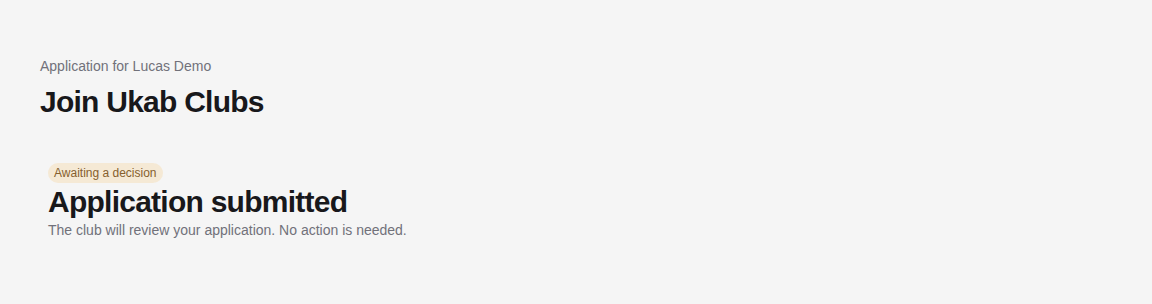
Your application now shows **Awaiting a decision**. You have nothing more to do until the
club answers.
The sent application of the example applicant Lucas Demo.
To check on your application later, use **Find my application** as described in
[Find a club and apply](/en/guide/members/find-a-club-and-apply#4-find-your-application-again).
The club's side of this review is described in [Review applications](/en/guide/staff/applications).
Once the club has decided, see [After the club's decision](/en/guide/members/after-your-application).