# Request a booking or join a waitlist
Register for group sessions, ask your club for a lesson and wait for a place when a time is full.
Source: https://docs.champagne.dev-ukab.fr/en/guide/members/requests-and-waitlists
Not every activity is booked the same way. Group classes have sessions you register for,
lessons need the club to arrange a time with you, and popular times fill up. From the **Club
schedule** of your member area, you register, send a request or join a waitlist. For an
ordinary booking with a time you choose, see
[Book a reservation](/en/guide/members/book-a-reservation).
## 1. Read the group sessions [#1-read-the-group-sessions]
Open **My account**, select the **Reservations** tab and scroll down to **Club schedule**.
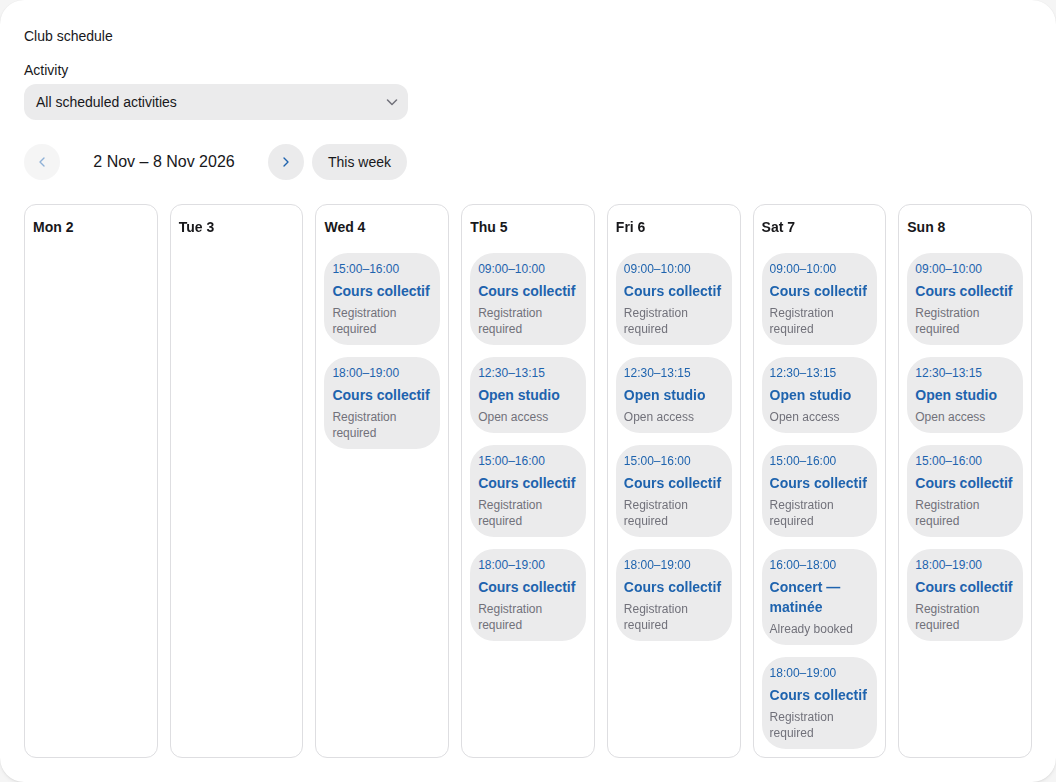
With **All scheduled activities** selected in **Activity**, the schedule lists the week's
sessions of every activity, day by day. Pick one activity in **Activity** to see only its
sessions, and use the arrows or **This week** to move between weeks.
A week at Ukab Clubs: Cours collectif classes, the daily Open studio and Alex Morgan's concert.
Each session shows its time, its name and a label:
| Label | What it means |
| ------------------------- | ----------------------------------------------------------------- |
| **Registration required** | You register to take part. Select the session to book your place. |
| **Open access** | No registration: come at the time shown. |
| **Already booked** | You have a place. Select the session to open your booking. |
| **Request sent** | You asked for a place and the club has not answered yet. |
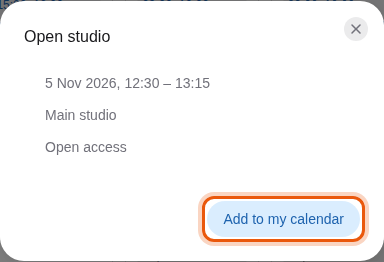
Select an **Open access** session to see its date, time and place. Select **Add to my
calendar** to download it to your calendar app.
The example Open studio session, open to every member without registration. The control to use
is outlined in orange.
When the week has no session, the schedule says **No sessions this week.** Select **View
upcoming sessions** to jump to the next week that has one.
## 2. Register for a group session [#2-register-for-a-group-session]
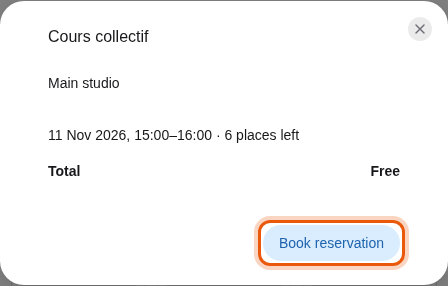
Select a session marked **Registration required**. A form opens with the place, the date and
time, and the number of places left. The **Total** shows the price.
Registering for an example Cours collectif class with 6 places left.
Select **Book reservation**. The form confirms with one of these messages:
| Message | What happens next |
| ----------------------------------------------------------------- | -------------------------------------------------- |
| **Reservation confirmed.** | Your place is booked. |
| **Reservation booked. Pay from your reservations to confirm it.** | Select **Pay reservation** to pay and confirm it. |
| **Request sent. Awaiting club approval.** | The club checks your request before confirming it. |
Select **View reservation**, or **Pay reservation** when a payment is due, to open the
booking. Select **Close** to go back to the schedule.
## 3. Request a reservation [#3-request-a-reservation]
For some activities, such as private lessons, the club arranges the time with you. Choose
the activity in **Activity**: the schedule shows a **Request a reservation** button.
1. Select **Request a reservation**.
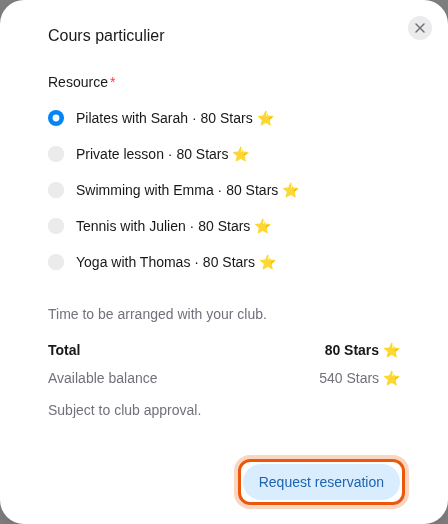
2. In **Resource**, pick the lesson or coach you want. The form says **Time to be arranged
with your club.**
3. Check the **Total** and your **Available balance**. **Subject to club approval** reminds you
that nothing is final until the club answers.
4. Select **Request reservation**.
A request for the example lesson Pilates with Sarah, paid in Stars.
The form says **Request sent. Awaiting club approval.** Your request appears in **My upcoming
reservations** with the status **Awaiting your club**. The club then proposes a time in the
booking's conversation: see [Lessons with a
coach](/en/guide/members/lessons-with-a-coach) to follow it and accept the time.
## 4. Join a waitlist [#4-join-a-waitlist]
When a session or a time is full, the club may let you wait for a place.
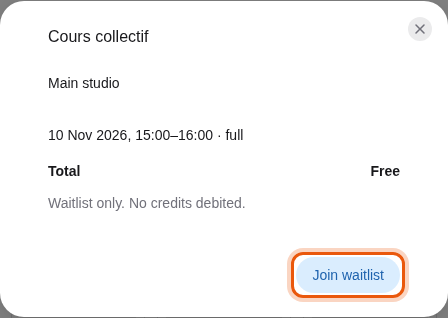
* A full session shows **full** next to its date. The form says **Waitlist only. No
credits debited.**
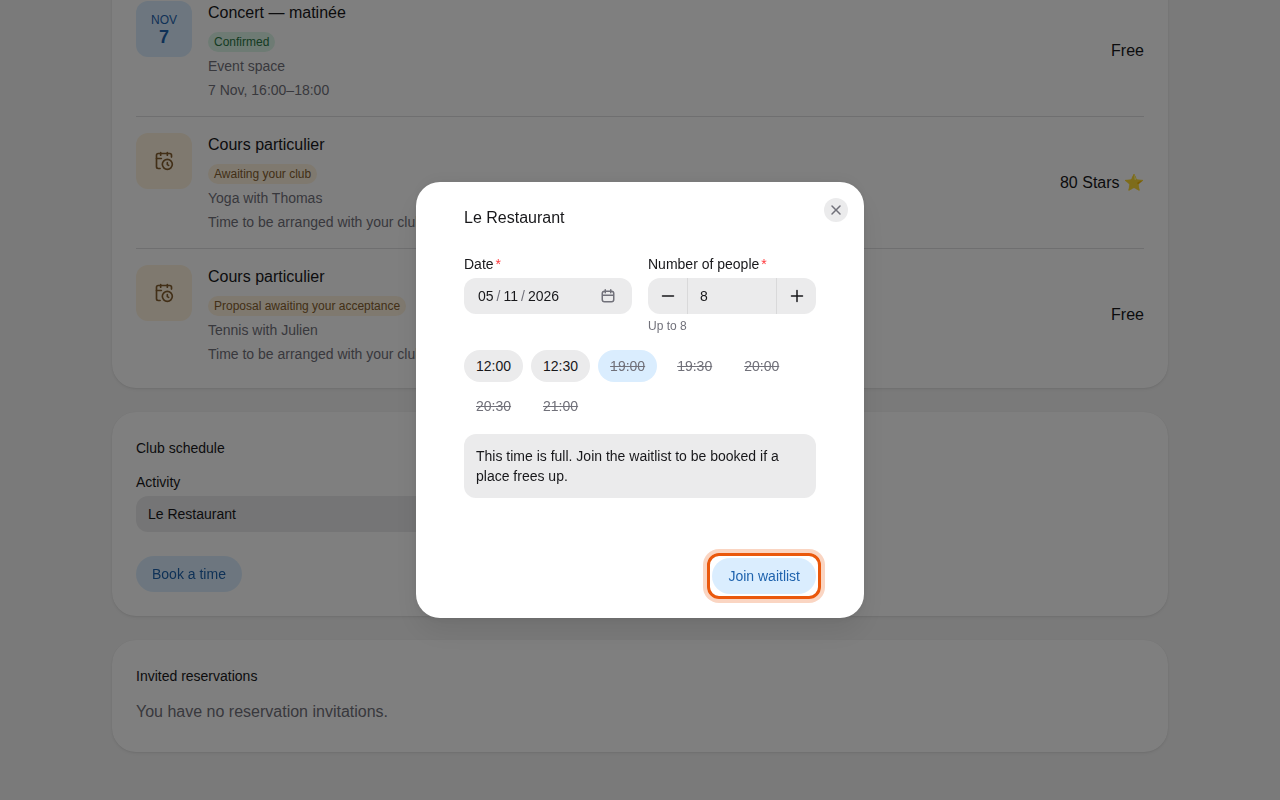
* A full time, for example at a restaurant, is crossed out among the times. Select it: the
form says **This time is full. Join the waitlist to be booked if a place frees up.** When a
linked activity still has room, a button such as **Available at …** lets you switch to it.
A full example Cours collectif class with its waitlist.
The example Le Restaurant, full in the evening for a table of eight.
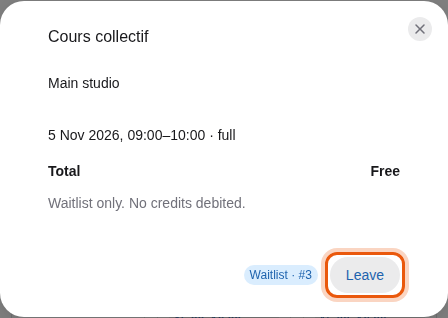
Select **Join waitlist**. The form shows your place, such as **Waitlist · #1**, with a
**Leave** button. The waiting place also appears in **My upcoming reservations** with its
position.
Alex Morgan, third on the waitlist of tomorrow's full 9:00 class.
The same waiting place in Alex Morgan's upcoming reservations.
When a place frees up, Champagne books it for you, in the order people joined the waitlist.
You receive a **Waitlist updates** notification: open the booking to check its status and any
payment due.
To stop waiting, select **Leave** next to your waitlist place, in the form or in **My upcoming
reservations**.