# Accept an invitation you received by email
Open a guest or reservation invitation from its email, and unsubscribe from a newsletter.
Source: https://docs.champagne.dev-ukab.fr/en/guide/members/invitations-from-email
Clubs and their members send you emails with a link: an invitation to visit the club as a
guest, an invitation to join someone's reservation, or a newsletter. Each link opens a page of
the [member app](/en/guide#member-app) where you answer in a few clicks.
## 1. Accept a guest invitation [#1-accept-a-guest-invitation]
A member or the club can invite you to the club for a few hours. You receive an email titled
"You are invited to … as a guest". Open its **Accept the invitation** link before it expires:
the email gives the number of days.
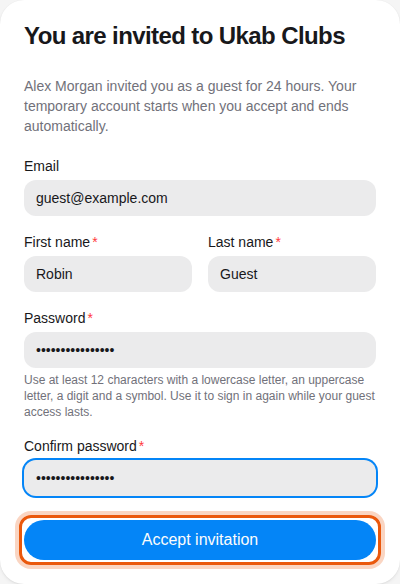
The page **You are invited to …** says who invited you and for how many hours. Your email
address is already filled in.
1. Enter your **First name** and **Last name**.
2. Choose a **Password** and type it again in **Confirm password**. Use at least 12 characters, with a lowercase letter, an uppercase letter, a digit and a symbol. You use it to sign in again while your
guest access lasts.
3. Select **Accept invitation**.
An invitation from the example member Alex Morgan to [guest@example.com](mailto:guest@example.com), for 24 hours. The
control to use is outlined in orange.
Your temporary account starts when you accept, and your member area opens. It shows a **Guest
access** notice with the time your access ends. The account closes automatically afterwards.
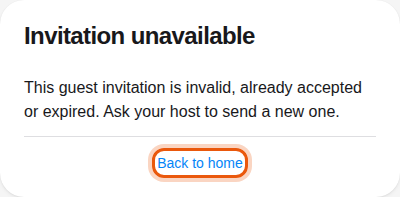
If the page says **Invitation unavailable**, the link is incomplete, already used or expired.
Ask the person who invited you to send a new invitation, or select **Back to home**.
A guest invitation link that no longer works.
## 2. Answer a reservation invitation [#2-answer-a-reservation-invitation]
When a member adds you to their booking, you receive an email titled "… · Reservation
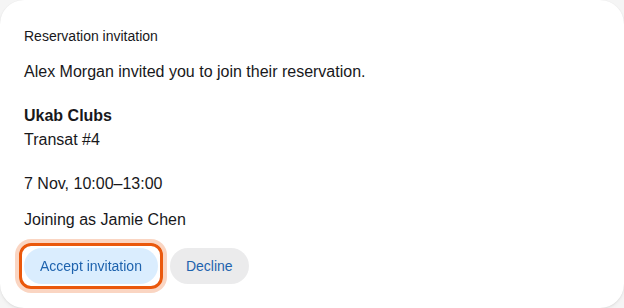
invitation". Its link opens the **Reservation invitation** page with who invited you, the
club, the place and the time of the booking.
What you do next depends on the club:
| What the page shows | What to do |
| ---------------------------------------- | ---------------------------------------------------------------------------------------------------------------------------- |
| **Joining as …** with your name | Select **Accept invitation** to join, or **Decline**. |
| A **Your name** field | Type your name, then select **Accept invitation**. Select **Decline** to refuse. |
| **Create guest account** and **Decline** | The club asks guests to have an account. Select **Create guest account** and follow the guest invitation steps of section 1. |
The example member Jamie Chen, invited by Alex Morgan to the pool place Transat #4.
Once you answer, the page shows **Invitation accepted** or **Invitation declined**. If you
have a member account at this club, the invitation also appears in your
[reservations](/en/guide/members/tickets-stays-and-people#5-bookings-you-are-invited-to), where you can answer it too.
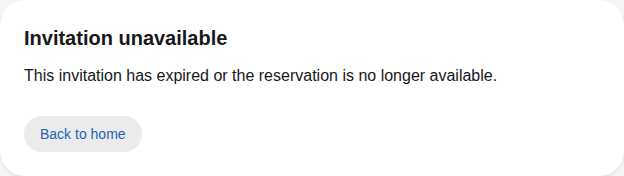
The link works for 7 days, and never after the reservation ends. When it has expired, or the
booking was canceled, the page says **Invitation unavailable**.
A reservation invitation link that no longer works.
## 3. Unsubscribe from a newsletter [#3-unsubscribe-from-a-newsletter]
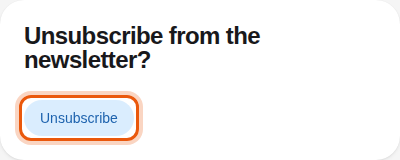
At the bottom of every club newsletter, select **Se désabonner / Unsubscribe**. The page asks
**Unsubscribe from the newsletter?**: select **Unsubscribe** to confirm.
The page opened from the unsubscribe link of a newsletter.
The page then says **You are unsubscribed** and names the club whose newsletters you no longer
receive. If it says **This unsubscribe link is not valid**, open the full link from the
newsletter email again. To manage the newsletter from your member area, see
[Notifications](/en/guide/members/notifications).
> To invite a guest yourself, see [Guests and sponsorship](/en/guide/members/guests-and-sponsorship).
> To invite someone to your booking, see [Invite the people coming with
> you](/en/guide/members/tickets-stays-and-people#4-invite-the-people-coming-with-you).