# Plans and pricing
Create membership plans, credit packs and add-ons, and change a plan's price.
Source: https://docs.champagne.dev-ukab.fr/en/guide/admins/plans-and-pricing
The **Plans** section lists everything your club sells online: memberships, credit packs
and add-ons. Members pay for memberships and credit packs by card through Stripe, the
online payment service connected to your club, and for add-ons with their [credits](/en/guide#credits).
> If your club has no Stripe account yet, the page shows **Connect a Stripe merchant before adding
> plans** and **Add plan** stays greyed out. Select **Open payment settings**, then follow
> [Payments](/en/guide/admins/payments).
## 1. See your plans [#1-see-your-plans]
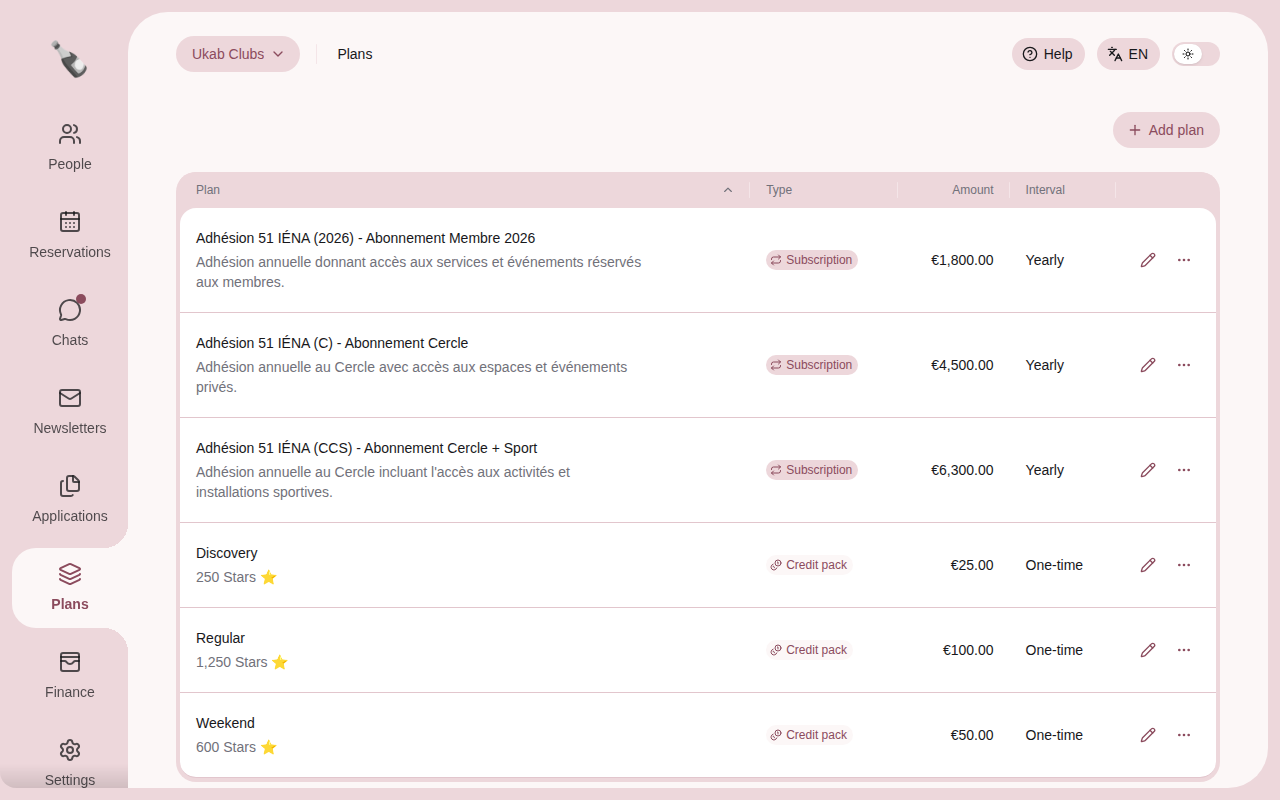
In the left menu, select **Plans**. Each line shows the [plan](/en/guide#plan)'s name and description (the
credits included, for a credit pack), its **Type**, its **Amount** and its **Interval**.
Select a column title to sort the list. A
club without plans shows **No plans yet.** If the list shows **Plans unavailable**, your
plans could not be loaded: reload the page.
The example plans of Ukab Clubs: three yearly memberships and three credit packs.
There are three types of plan:
| Type | What the member buys | Price |
| ---------------- | -------------------------------------------------------- | -------------------- |
| **Subscription** | A membership that renews every month or every year. | An amount in money. |
| **Credit pack** | A one-time top-up of club credits, used for bookings. | An amount in euros. |
| **Add-on** | A one-time extra the member pays for with their credits. | A number of credits. |
Credits are your club's own currency. You choose their name, such as Stars, and their value
under **Club credits** in [Payments](/en/guide/admins/payments).
## 2. Add a plan [#2-add-a-plan]
Select **Add plan**.
1. Type a **Name**.
2. Choose the **Type**. The price fields of that type appear below.
3. If you like, type a **Description**. Members see both the name and the description.
4. Fill in the price:
* **Subscription**: the **Amount**, its **Currency** and the **Billing interval**,
**Monthly** or **Yearly**.
* **Credit pack**: the **Amount (EUR)** and the number of **Credits included**.
* **Add-on**: the price in credits, for example **Price in Stars ⭐**.
5. Select **Create plan**.
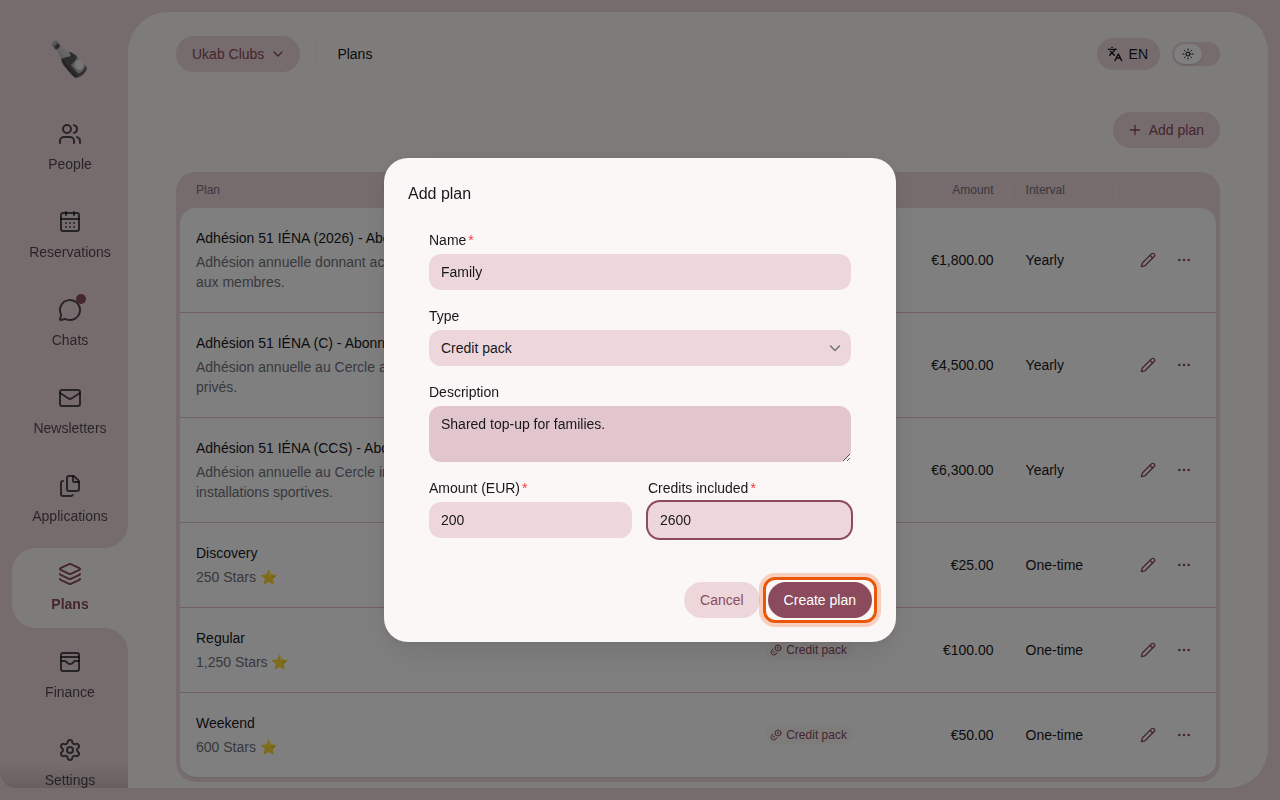
Preparing an example credit pack, Family, with 2,600 credits for €200. The control to use is
outlined in orange.
The type, currency and billing interval are fixed once the plan exists. To change them,
create a new plan.
## 3. Edit a plan [#3-edit-a-plan]
Select the pencil on a plan's line, change it, then select **Save**.
* For a **Credit pack** or an **Add-on**, you can change the name, the description and the
price.
* For a **Subscription**, you can change the name and the description. The window reminds
you: **To change the price, split the plan.**
## 4. Change the price of a membership [#4-change-the-price-of-a-membership]
Changing a membership's price is called a split. Select **…** on the plan's line, then
**Split**. Only a subscription that was never split offers it.
* **Current subscribers**: the members on this plan stay on it. Set the **Price** they
will pay. If you change it, they are notified at once and pay the new price from their next
payment, or in one month if that payment is sooner.
* **New subscribers**: type a **New plan name**, a **Description** and the **Price**. This
new plan replaces the old one in your [application](/en/guide#application) forms and at checkout from today.
Select **Split plan** to confirm.
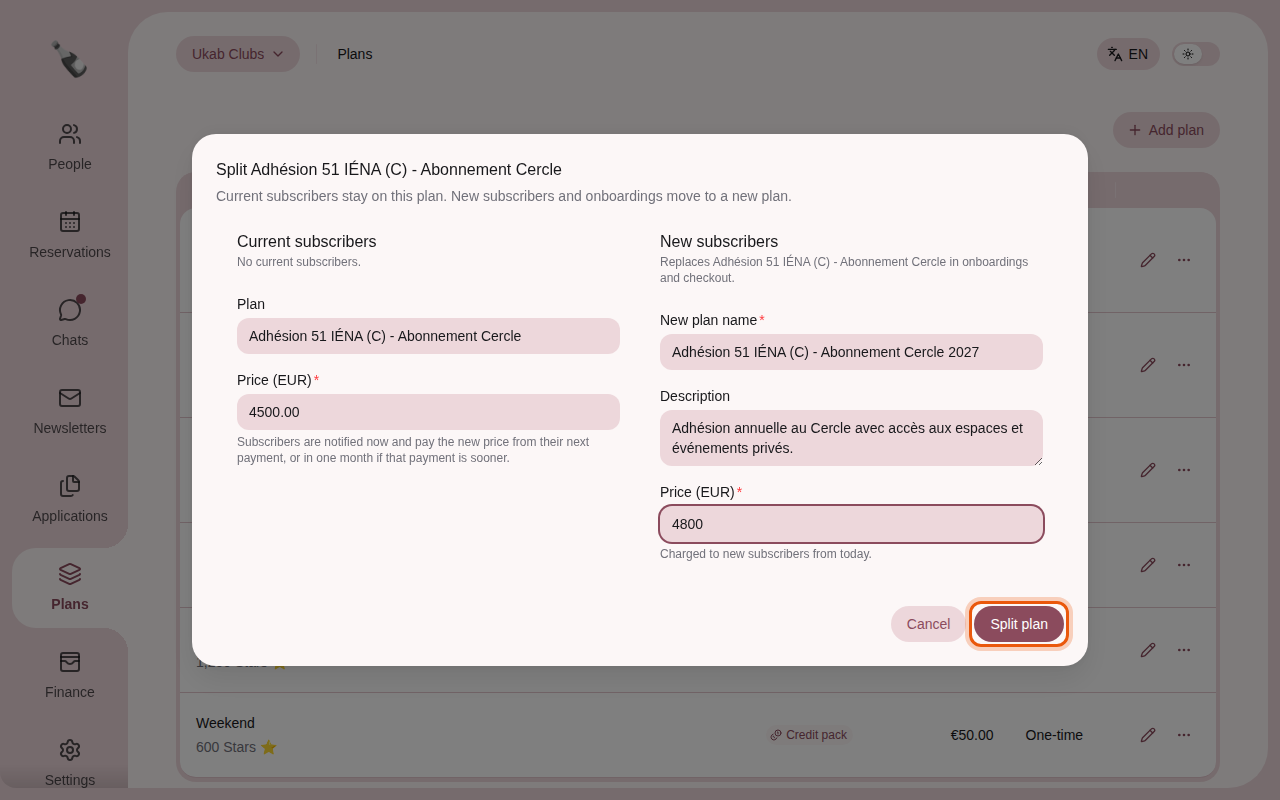
Raising the example Abonnement Cercle membership to €4,800 for new members while current members
keep €4,500.
After a split, the old plan's line shows **Current subscribers only. Replaced by …** with
the name of the new plan.
> To raise the price for newcomers only, leave the **Price** under **Current subscribers**
> unchanged.
## 5. Delete a plan [#5-delete-a-plan]
Select **…** on the plan's line, then **Delete**, and confirm with **Delete plan**. Members
can no longer buy it. Existing memberships keep the details of the plan they paid for.
## What members see [#what-members-see]
Members choose a membership and buy credit packs and add-ons from **My account**. See
[Your membership](/en/guide/members/membership-and-credits) and [Your credits](/en/guide/members/credits). To offer a membership
while people apply to join, add a **Plan selection** block to your
[application forms](/en/guide/admins/onboarding-forms).